FOR DATOCMS SITES · LOCAL ONLY

Draft, published, visual editing: one click, no code.

A dev bar for DatoCMS sites. It loads into your development server, watches the queries it sends to DatoCMS, applies your switches to them and shows what came back: environment, timings, cache, records and blocks. Nothing of it reaches your build.

$ npm install -D @spleenteo/datocms-dev-bar
"dev": "NODE_OPTIONS=--import=@spleenteo/datocms-dev-bar/register next dev"

Works with next dev, astro dev, nuxt dev, vite dev: any dev server on Node.
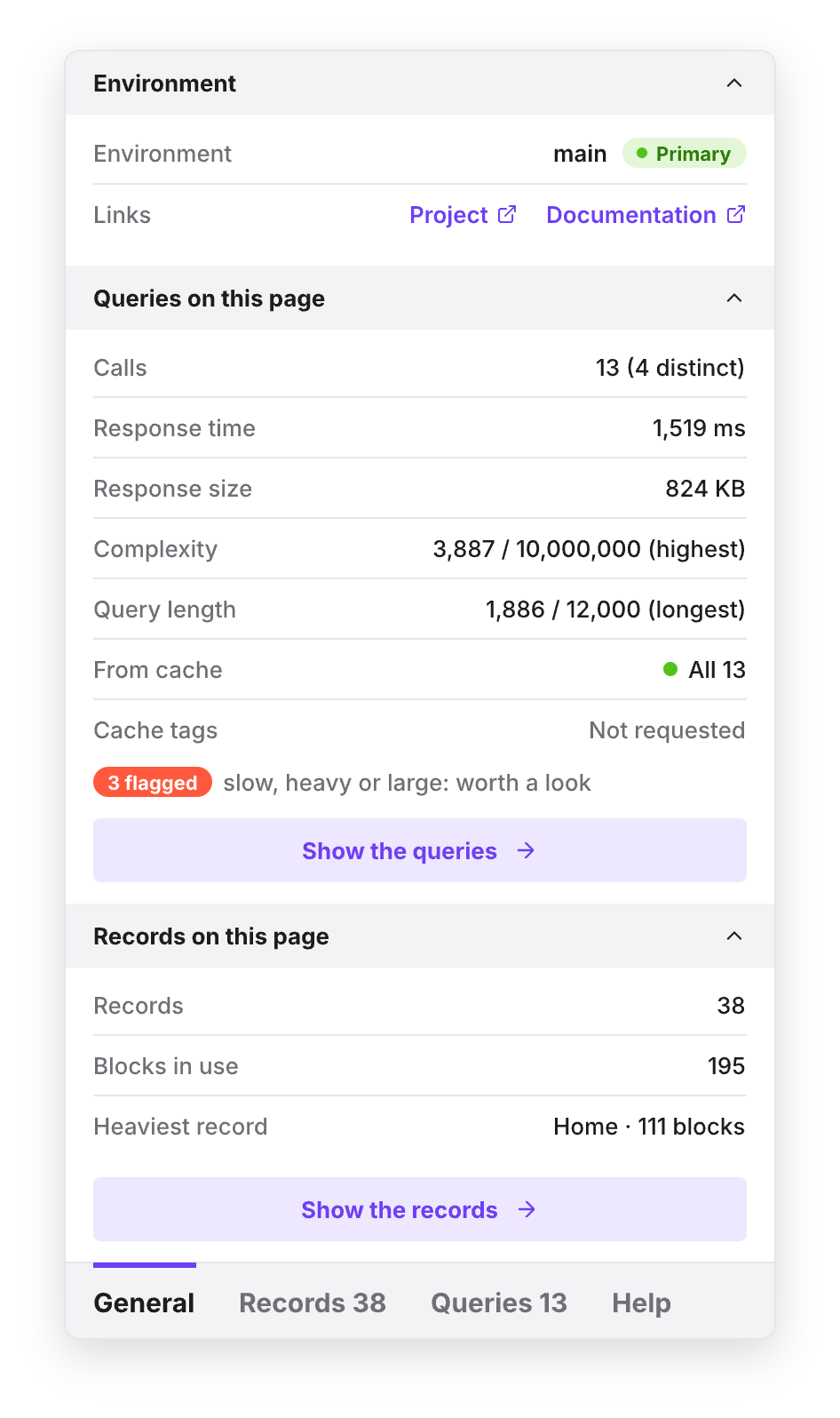
The X-Ray panel, General tab: environment, queries of the page, records and blocks

On top of the site you are building

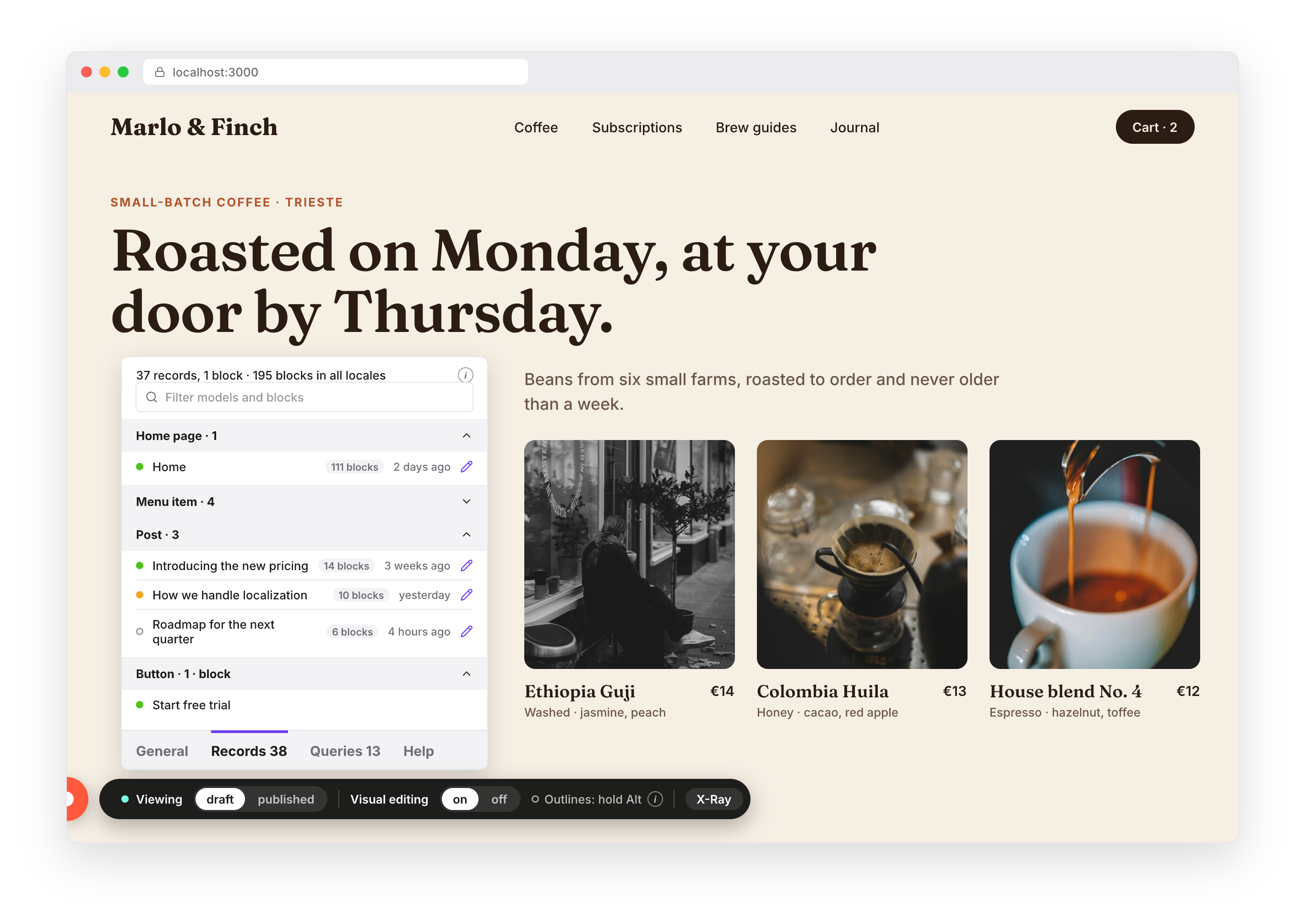
A small bar at the bottom left of the page, and the X-Ray panel above it when you open it. Here over a made-up shop.

A fictional coffee shop site with the dev bar at the bottom left and the X-Ray panel open on the Records tab

Three switches and an X-Ray of the page

The bar holds what you click; the X-Ray panel above it holds what you read.

Draft or published

One click, or Alt+Shift+D, and the page reloads with the other version of the content. Your server reads two cookies; the bar never talks to DatoCMS.

Visual editing on or off

Content Link overlays when you edit, off when you work on the design and the hidden stega characters get in the way.

X-Ray

Environment, response time and size, complexity, CDN cache, cache tags, every query with its text, and the records and blocks the page holds.

It sits inside your dev server, not inside your code

1Install it as a dev dependency

npm install -D @spleenteo/datocms-dev-bar

2Load it with the dev server

"dev": "NODE_OPTIONS=--import=@spleenteo/datocms-dev-bar/register next dev"

3Tell it about your project, in the env

DATOCMS_DEV_BAR_CDA_TOKEN=…
DATOCMS_BASE_EDITING_URL=https://<project>.admin.datocms.com
DATOCMS_DEVTOOLS_TOKEN=… (optional, for Records)

No import in your application, no component in your layout. On each request the preload applies the bar's cookies to the calls your server makes to graphql.datocms.com, swaps in the token with draft access, keeps a report of every call, and appends the bar to the HTML. On Next.js it also drives the framework's draft mode.

What DatoCMS said about this page

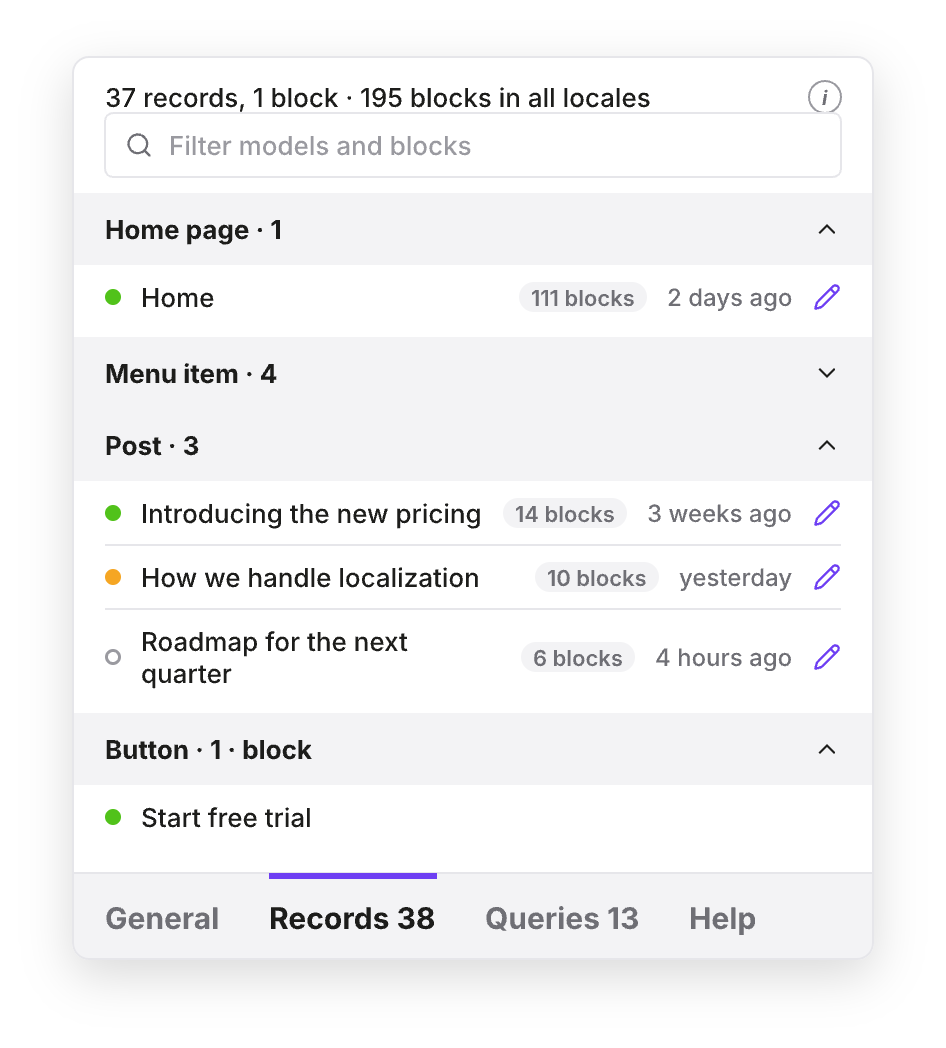
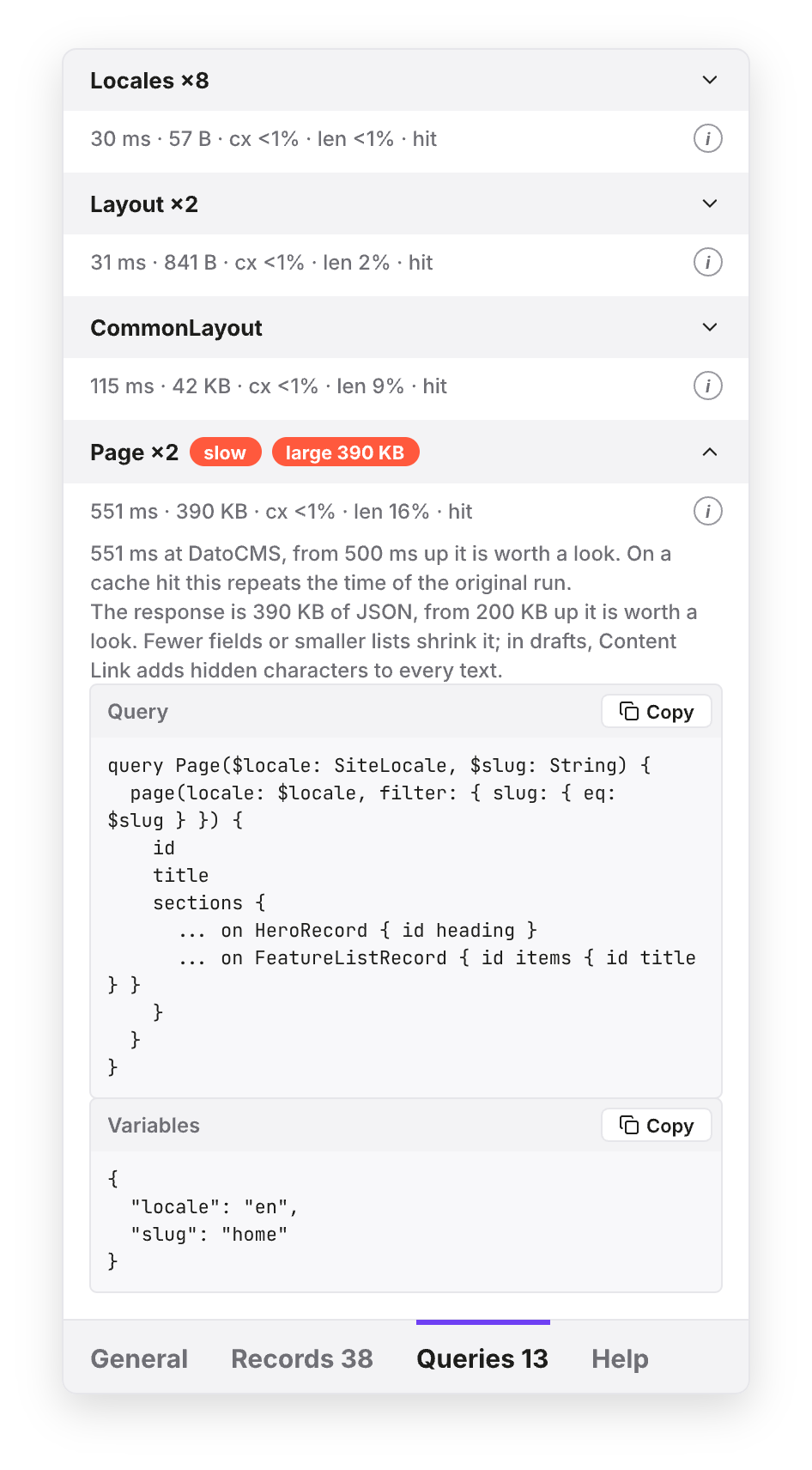
Four tabs, in the look of the DatoCMS interface. General sums it up; Records and Queries go into the detail; Help explains the keys.

GENERAL
General tab
RECORDS
Records tab
QUERIES
Queries tab

It stays on your machine, three times over

Only where you load it

The preload runs only in the dev script. Nothing of the package is imported by your code, so nothing of it is in your build. A server started with NODE_ENV=production gets nothing, flag or not.

Only for local hosts

The server acts only on requests from localhost, 127.0.0.1, [::1], .local, .localhost or .test. Any other host gets the page untouched and nothing from /__datocms-dev-bar/.

Only on local pages

The bar itself shows only on those hosts. The tokens stay on the server: the page only ever gets names, statuses, titles and links.

Let your agent do it

Three edits, no code: a job for Claude Code, Cursor or Copilot. Paste this and hand over your tokens.

PROMPT

Install @spleenteo/datocms-dev-bar as a dev dependency. In package.json, prefix the dev script with NODE_OPTIONS=--import=@spleenteo/datocms-dev-bar/register (on Windows use cross-env). In the local env file (.env.local or .env, never a production one) add DATOCMS_DEV_BAR_CDA_TOKEN with a Content Delivery API token that can read drafts, DATOCMS_BASE_EDITING_URL with the project's admin URL (https://<project>.admin.datocms.com) and, if I give you one, DATOCMS_DEVTOOLS_TOKEN with a read-only Content Management API token. Do not add any import of the package to the application code. Then restart the dev server and open the site on localhost: a bar with "Viewing draft / published" sits bottom left.

Not on Node (an edge runtime, Cloudflare workerd)? The package also ships server helpers for a manual integration: see the README.